
Using PHP with Rational Developer for IBM i
 If you’re using Rational Developer for i (RDi) for most of your development tasks, you might want to use it for PHP, too. RDi is based on Eclipse, so we can use the Eclipse PHP Development Tools (PDT) with RDi.
However, there are some additional steps to take and quirks to be aware of. This post provides the steps for a trouble-free installation of PDT, with tips to resolve common issues.
Install the Dynamic Languages Toolkit
Before installing PDT, we need to install an additional framework, the Dynamic Languages Toolkit (DLTK). As of the writing of this post, RDi 9.6 is based on Eclipse Neon (4.6), so we’ll install DLTK from the Neon repository.
Go to the Install New Software window (available from the Help menu), and enter the repository name http://download.eclipse.org/releases/neon/. You may need to press enter to get the packages to come into view. Type the word “dynamic” into the filter text box, then select the “Core Frameworks” component.
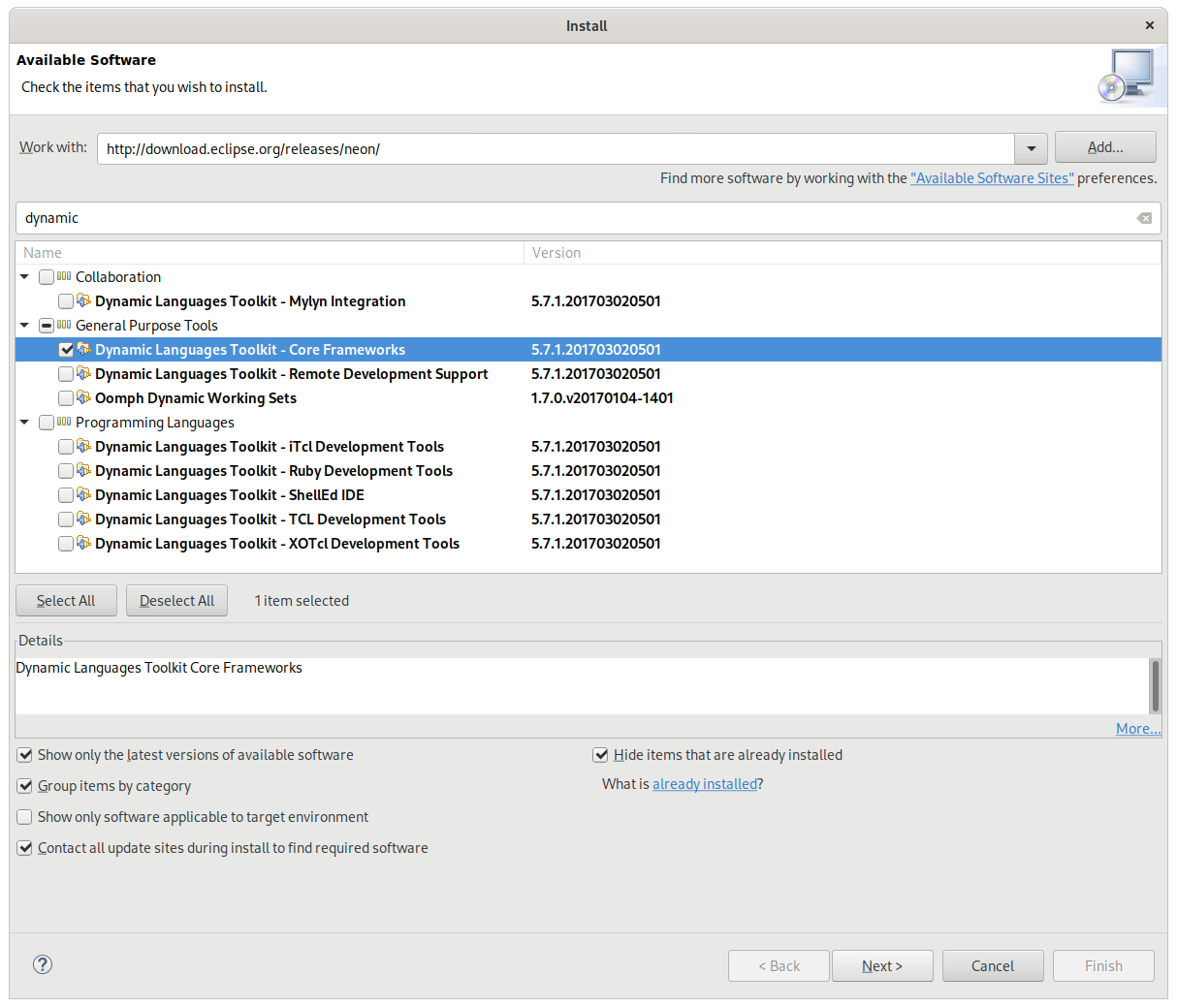
Installing the DLTK
While it’s tempting to install the other DLTK packages as well, they may not be compatible with RDi’s modifications to Eclipse. You should see a message about the changes that will be applied, and next will be accepting EULAs. (If you get a message about package conflicts, you may need to only install the core DLTK package.) If you run into permission issues, it’s because on some platforms, you may need to install the extension as an administrator. At the end, RDi will prompt you to restart.
Install the PDT
Although the PDT is available from the base repository, updated versions are available at a different URL. Follow the same process you followed with the DLTK, but use the repository https://download.eclipse.org/tools/pdt/updates/neon/. You can install the base PDT and the additional project support. (Mylyn support is needed only if you’ve installed the Mylyn ALM tools into RDi.)
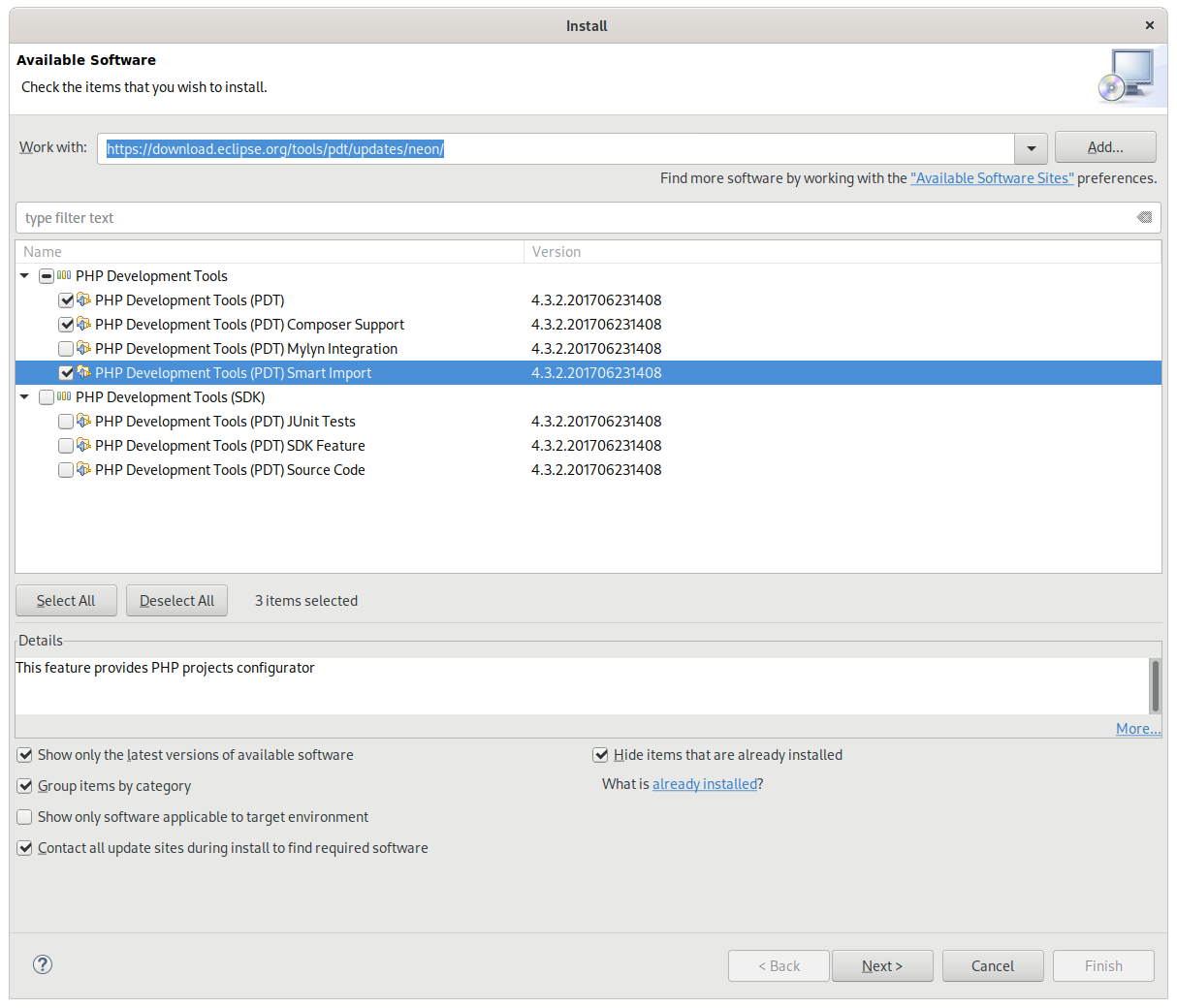
Installing the PDT
Once you’ve installed the PDT, you can develop PHP applications using RDi. Available to you will be the same features that other Eclipse-based IDEs offer, including the PHP perspective and Remote Systems Explorer.
Productivity Awaits
RPG developers who use RDi can now add PHP to their toolbox, with IDE features such as syntax checking, content assist, and debugging. It pays to refurbish one’s IDE occasionally. It can save hours per week.
If you’d like to discuss developer productivity, IDE choices, debugging, or open source technology, contact us.

Thanks for this – I’ve never been able to get PDT to work properly and this looks like the solution.
It would have been helpful if the graphic capture was readable. I was only able to find the relevant component by keying “Dynamic” into the filter box – the article references DLTK but it is not called that.
Jon, glad this tip worked for you. We’ve updated the article to clarify your point about selecting components using the word “Dynamic.” To view full-size screen shots, click on them and they expand.